Trigger Interval
Why do we recommend a 2-minute trigger interval with our M.I.N.E.® cameras? Hopefully we can break down each step in the process to clarify it for you. The trigger interval is found under the camera settings, MENU > Trigger > Trigger Interval.
PIR Event
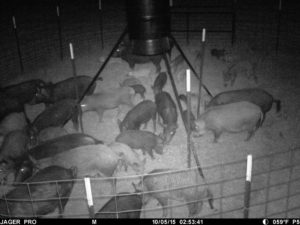 When the PIR (passive infrared) detects heat and motion, the camera identifies this and goes into action. The camera takes a motion activated photo and immediately saves it to the SD card at the MP (Megapixel) size set, the larger the MP the longer it takes to save but is generally less than a second.
Once the photo is saved to the SD card, it’s next process is to compress that photo for sending through the carrier to either the server or designated recipient(s). It compresses the photo down to anywhere between 40-80 KB and then uploads it to the carrier. Compressing it takes less than 5 seconds to complete.
Once it is compressed, then it pushes it out to the carrier through the nearest tower, this process must allow the photo to communicate through the carrier before completely sending, this process takes 20-30 seconds to complete.
Test Photo
For a better understanding from the cameras perspective, conduct a test photo from the camera and watch the onscreen commands. Turn the camera onto setup, once you have signal, press the “OK” button to take a photo and “OK” again to send the photo. The first command you will see is “Setting”, this is the camera saving the photo and compressing it. Next you will see “Sending”, this is where it is uploading or sending the photo to the carrier. Last you will see “Sent” on the screen, this lets you know that the camera has sent the photo. Time this process on location to see how long it takes for your camera to send a test photo and take into consideration that every time the camera has a PIR event, it goes through this same process.
Why we recommend 2 minutes.
Once the camera takes the photo from the PIR event, it will reset the trigger interval to the time designated the moment it takes the photo.
If you have a weak signal, 2 bars or less, or if there is any interruption while sending out a photo, which could be caused by numerous events such as lack of power, environmental, terrain, carrier overload or tower connectivity, or if it fails for any reason, it will attempt to repeat this process up to 3 times before timing out and resetting.
If the camera detects motion before completing it’s PIR process, it will stop the process and start all over by taking another photo.
While the camera is in the process of a PIR event, if you attempt to send it any commands, the camera will reject that command until it completes the process.

If you have tested the camera on location for several days and have not had any problems with it, you should have a good idea of how long it takes to take, send and receive a photo. The reason we set it at 2 minutes is so you will have enough time in between photos to command it to drop the gate or take another photo without being rejected.
If you have weak signal at your camera location, extending the trigger interval to 4 or 5 minutes will help alleviate communication issues.
I.C.E.® Cameras
 The above information is our recommended settings for the M.I.N.E.® camera and can be adjusted differently for the I.C.E.® camera depending on how you want to use it. The I.C.E.® camera goes through the same uploading process as the M.I.N.E.® camera. Once you are familiar with how long it takes to complete the PIR event, you can adjust the trigger interval down to 30 to 40 seconds to receive more photos and identify when all the pigs have entered your trap. Since the I.C.E.® camera will not be the primary camera during trapping, you could also turn Realtime off to save a little on battery consumption if you aren’t requesting additional photos from it.
When used in conjunction with the M.I.N.E.® camera, you will be receiving photos from both cameras and be able to drop the gate when all the pigs are comfortably within your trap location without worrying about it not responding to commands.