
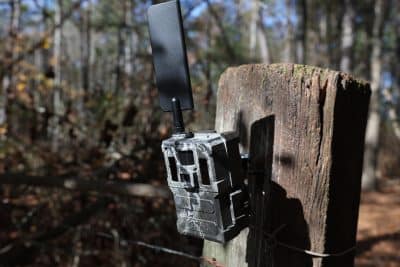
🔧 Trail Camera Troubleshooting Guide (Start Here)
If your camera isn’t working properly, don’t worry — most issues can be fixed in just a few minutes. Whether you’re dealing with missed captures, connectivity issues, or poor image quality, a few simple checks can usually get your system back up and running without the need for replacement or repair.
This trail camera troubleshooting guide will walk you through the most common problems step-by-step so you can quickly get your camera back online and performing at its best.
⚡ Quick Troubleshooting Checklist
Before diving deeper, run through these quick checks:
✅ Batteries are fully charged or replaced
✅ SIM card is properly installed and activated
✅ Antenna is securely attached
✅ Camera is powered ON
✅ SD card is inserted and not full
👉 If everything above checks out, continue below.
🧭 Step-by-Step Trail Camera Troubleshooting
1. 🔋 Trail Camera Troubleshooting Power Issues
If your camera won’t turn on:
-
Replace all batteries with fresh ones
-
Check external power source connections
-
Inspect battery tray for corrosion. Watch the demonstration video here
-
Test batteries with a voltmeter
👉 If lights blink or camera beeps but won’t start, it may be a boot issue.
2. 📶 Trail Camera Troubleshooting Signal & Connectivity Issues
If your camera isn’t connecting:
-
Check signal strength in your area
-
Verify SIM card is active
-
Confirm antenna is tight and undamaged. Watch the video demonstration here
-
Move camera to a higher or clearer location
👉 Weak signal is one of the most common causes of camera issues.
3. 💾Trail Camera Troubleshooting SD Card Problems
If your camera isn’t saving images:
-
Format the SD card in the camera
-
Use a recommended SD card type. Watch the demonstration video here
-
Ensure card is not locked
-
Try a different SD card
4. ⚙️Trail Camera Troubleshooting Settings & Configuration
Incorrect settings can stop your camera from working properly:
-
Review camera settings in the menu
-
Press “Update” to refresh configuration
-
Confirm correct network/APN settings. Watch the demonstration video here
-
Check time and date settings
5. 🔄Trail Camera Troubleshooting Reset the Camera
If issues continue:
-
Power off the camera
-
Remove batteries and SIM card
-
Wait 30 seconds
-
Reinstall everything and restart
👉 This clears most temporary errors.
🧩 Still Having Issues?
If your issue isn’t resolved, go to a more specific guide:
👉 Each guide walks through deeper diagnostics and fixes.
“What issue are you having?”