
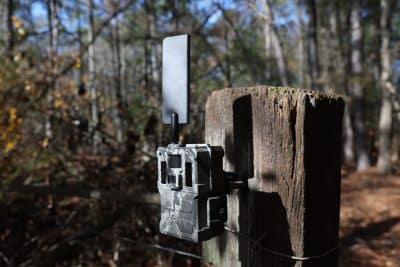
If you are unable to power on your Live Stream camera, don’t panic—this is a common issue and, in most cases, it can be resolved quickly in the field by rebooting the camera. One of the most frequent causes is the camera entering safety mode, which is directly related to how the internal lithium-ion battery is designed to protect itself.
JAGER PRO® Live Stream cameras are built with an internal lithium-ion battery that includes a Battery Management System (BMS). This system is designed to safeguard the camera from electrical damage and extend overall battery life. When certain conditions are detected—such as power loss, voltage irregularities, or temperature extremes—the BMS will trigger a shutdown, placing the camera into safety mode. When this happens, the camera will not power on until the issue is corrected, the battery is properly recharged and the camera has been rebooted.
Why Your Live Stream Camera Won’t Turn On
In most cases, a Live Stream camera that won’t power on is experiencing a low power condition. This typically occurs when:
-
The internal AA batteries have died
-
The external 12V battery has been depleted
-
Or both power sources have drained at the same time
When this happens, the internal lithium-ion battery can drop below its minimum voltage threshold. This triggers Under Voltage Protection (UVP), which places the camera into safety mode to prevent long-term battery damage. A quick rebooting of the camera should correct the problem.
How to Reboot a Live Stream Camera in Safety Mode
Rebooting your camera is straightforward and can be done in just a few steps:
-
Insert 12 fresh AA batteries into the battery tray
-
Turn the camera on
-
Allow the camera to remain powered for an extended charging period
It’s critical to allow the internal lithium-ion battery time to fully recharge. In most cases, this will take approximately 24 hours. Removing the AA batteries too soon may prevent the internal battery from recovering fully, which can lead to repeated power issues and constant rebooting of the camera.
For best results, ensure you are using high-quality Lithium batteries and that all battery connections are clean and properly seated.
Understanding Lithium-Ion Battery Safety Mode (BMS Protection)
Lithium-ion batteries are designed with built-in protection mechanisms to prevent damage and ensure safe operation. Your JAGER PRO® Live Stream camera may enter safety mode if any of the following conditions occur:
High Voltage (Over Voltage Protection – OVP)
This occurs when too much power is applied to the battery, often from using an unapproved charger or power source. Excess voltage can damage internal components, so the BMS shuts the system down to prevent failure.
Over Current or Short Circuit
Electrical issues such as damaged wiring, faulty connections, or moisture intrusion can cause a spike in current. When this is detected, the system immediately enters safety mode to protect the camera.
High Temperature Protection
If the internal battery temperature exceeds safe operating limits—often due to extreme environmental heat or prolonged exposure to direct sunlight—the BMS will shut the system down. This is a protective response to prevent overheating and potential battery degradation.
Low Voltage (Under Voltage Protection – UVP)
This is the most common cause in the field. When power sources are fully depleted, the internal battery can no longer maintain proper voltage levels, triggering safety mode until sufficient charge is restored.
Preventing Future Power Issues
Consistent power management is the key to keeping your Live Stream camera operational and avoiding unnecessary downtime. One of the most effective ways to prevent the camera from entering safety mode is to maintain a steady, reliable power supply.
Consider upgrading to a JAGER PRO® Solar Power Supply, which helps keep your internal battery charged year-round. This reduces the risk of power loss, minimizes maintenance trips, and ensures your camera is always ready when sounders show up. By understanding how your Live Stream camera’s power system works—and how to properly recharge and maintain it—you can eliminate downtime and stay focused on what matters most: consistent, effective hog control.